
Download AntiSpam – AntiSpam, Spyware Protection, Email Security, Privacy Tool
Overview
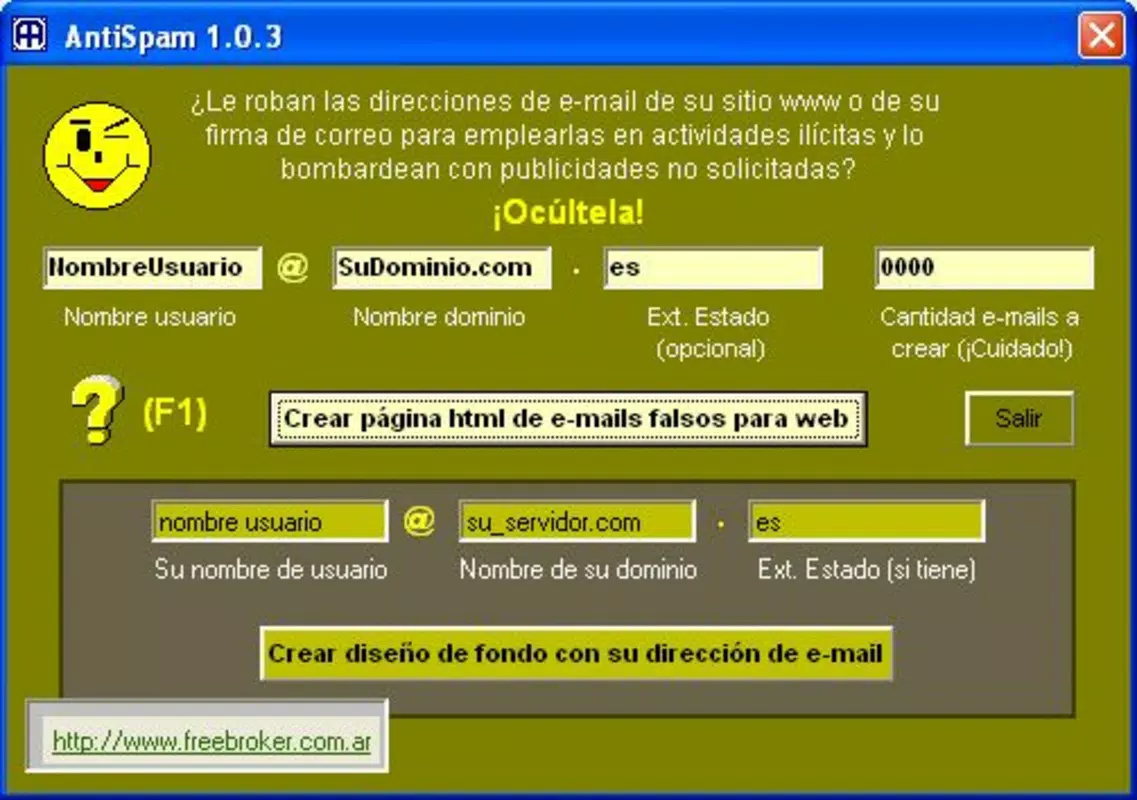
AntiSpam is a utility application designed to address the persistent challenge of online spam and email harvesting by malicious bots. Its primary purpose is to protect users’ real email addresses from being scraped by spyware bots that crawl websites in search of valid email addresses. By generating a large volume of fictitious email addresses, the app creates a digital smokescreen, making it significantly harder for automated systems to identify and collect genuine contact information. This approach helps reduce the amount of spam that reaches users’ inboxes while enhancing overall online privacy.
The target audience includes website owners, bloggers, freelancers, and individuals who frequently publish their email addresses online. These users often face an overwhelming influx of spam due to exposure on public platforms. AntiSpam offers a practical solution by allowing them to maintain visibility without compromising their digital security. The app is particularly valuable in environments where email contact forms, newsletters, or direct contact links are publicly accessible.
Although the developer did not provide additional background information, the application has been available since October 27, 2003, indicating a long-standing presence in the digital privacy space. Its continued relevance suggests a proven method for combating evolving spam techniques. In the broader app ecosystem, AntiSpam serves as a lightweight yet effective tool for users seeking to maintain control over their online identity and communication channels.
Key Features & Functionality
- Fake Email Generation: AntiSpam enables users to generate thousands or even millions of non-existent email addresses. These fabricated addresses are used to mislead spam bots, which are programmed to harvest valid emails. By overwhelming bots with false data, the app reduces the likelihood of real emails being collected.
- Invisible Hyperlinks: The app allows users to embed hyperlinks that are hidden from regular visitors. These links point to the fake email addresses, diverting bots' attention away from genuine contact information. This feature enhances security without affecting the user experience for human visitors.
- Secure Real Email Display: AntiSpam offers a method to display a real email address in an encrypted format. The display is designed to be undetectable to automated scrapers, ensuring that only humans can access the actual email, thus preventing bot harvesting.
- Encrypted Email Backgrounds: Users can create email backgrounds that include an encrypted button. This button is engineered to evade detection by spyware programs, adding an additional layer of protection during email communication.
- No Coding Required: A major advantage of AntiSpam is its accessibility. The app does not require any programming knowledge. Users can implement all protective measures through a simple interface, making it suitable for individuals with no technical background.
For example, a blogger can use the fake email generator to populate their contact page with hundreds of dummy addresses. When bots crawl the page, they collect only false data, while real visitors can still reach the author through the encrypted real email display. This functionality ensures both visibility and protection.
Interface, UX & Performance
The user interface of AntiSpam is designed with simplicity and functionality in mind. It features a clean layout that allows users to navigate through core functions without confusion. The visual style emphasizes clarity, using straightforward icons and labeled controls to guide users through the setup process.
Navigation is intuitive, with a linear flow from generating fake emails to embedding secure links and displaying real addresses. The app prioritizes ease of use, ensuring that even non-technical users can complete tasks efficiently. Although the developer did not list formal performance metrics, the application appears to operate smoothly across different device categories, with responsive interactions and minimal lag during configuration.
Stability is a key aspect of the app’s performance. Given its long-standing release date, it has likely undergone multiple iterations to ensure reliability. Users can expect consistent behavior when generating fake addresses or implementing protective features. The app does not appear to require significant system resources, making it suitable for use on older or lower-end devices.
Platform Compatibility & Technical Requirements
AntiSpam is available on the Android platform. The software version is not specified, nor is the minimum OS requirement. The file size of the app is also not disclosed by the developer. Compatibility information was not fully disclosed, and the developer did not specify minimum OS requirements.
Users should ensure their device meets general Android standards for app installation. The lack of detailed technical specifications means that compatibility may vary depending on the device’s configuration and system version. It is recommended to check the official source before installation to confirm suitability.
Pros and Cons
Pros
- Effective protection against spam bots using fake email generation
- Simple interface requiring no coding skills
- Multiple layers of security, including invisible links and encrypted displays
- Designed to preserve user privacy without sacrificing website accessibility
- Long-standing presence in the digital security space since 2003
Cons
- Developer did not provide detailed technical specifications
- Minimum OS requirements were not listed
- File size and version information are unavailable
- Compatibility with newer Android versions is uncertain
- No official update history or release notes provided
FAQ
Is AntiSpam safe to use?
Yes, the app is designed to enhance online privacy and security. It does not collect or transmit user data, and its purpose is to protect real email addresses from automated harvesting.
Does AntiSpam require coding knowledge?
No, the application is designed for users without technical expertise. All features can be accessed and implemented through a user-friendly interface.
Can I use AntiSpam on my website?
Yes, the app provides tools to generate fake emails and secure links that can be integrated into web pages to protect real contact information.
Is AntiSpam compatible with iOS?
The developer did not specify iOS availability. The app is currently known to be available on Android.
How often should I update AntiSpam?
Since the developer did not provide update history or release notes, users should check the official source periodically for new versions and security patches.
Final Thoughts + CTA
AntiSpam stands out as a focused, practical tool for anyone concerned about email privacy in the digital age. Its ability to generate fake addresses and conceal real ones offers a robust defense against spam bots without requiring technical expertise. While detailed specifications are limited, the app’s long-standing presence and straightforward functionality speak to its reliability.
Website owners, content creators, and individuals who share their email publicly will benefit most from its protective features. The value proposition lies in maintaining visibility while minimizing exposure to automated threats. In a world where digital privacy is increasingly at risk, AntiSpam provides a simple yet effective solution.
Download AntiSpam now


